
Best for
Shopify stores that sell clothing, bags, jewelry or other products and want images published from the admin.
Free plan, then from $9.99/month
Fulfily vs Botika
Looking for a Botika alternative for your Shopify store? Fulfily is a Shopify app that makes new on-model and lifestyle images from each product's photos, title and description, and publishes the ones you pick to the product. Botika is an AI fashion model platform for clothing brands. You upload flat lay, mannequin or model photos of a garment, and it returns photos of the clothes on AI models. It runs on the web and as an iPhone app.
Free plan · Built for Shopify · 5.0 on the Shopify App Store
Last updated:
Best for
Shopify stores that sell clothing, bags, jewelry or other products and want images published from the admin.
Free plan, then from $9.99/month
Best for
Clothing brands that want flat lay or mannequin photos turned into model shots, with human retouching on yearly plans.
8 free credits; Pro from $55/month
Botika is a separate web and iPhone tool, built only for clothing. Its Shopify App Store listing says the app is not currently available (checked October 1, 2026), so you work in Botika and bring the photos to your store. Fulfily works inside your Shopify admin for any product: it reads each product's photos and details, applies a preset with a photo model and pose, and publishes the images you pick.
Reads your products and publishes images back
Botika's Shopify App Store listing says the app is not currently available (checked October 1, 2026).
Show size and fit on a person
Botika: from flat lay, hanger, ghost mannequin or existing model photos. Fulfily: photo models and poses for clothing, bags and jewelry.
Pick from 80+ looks instead of writing a prompt
Botika: a library of AI models across body types and skin tones, poses for flat lay and mannequin photos, and ready-made backgrounds.
One tool for your whole catalog
Botika's FAQ: "Right now, we only focus on clothing."
Describe the setting you want
Botika's FAQ: "We don't offer the ability to make images from text or custom prompts." You pick a model, pose and background instead.
Update a whole collection in one go
Botika: bulk upload in its on-model workflow.
Work on your phone
Botika has an iPhone app. Fulfily works on your phone inside the Shopify mobile app or any browser.
Try it without paying
Botika gives 8 free credits to try it.
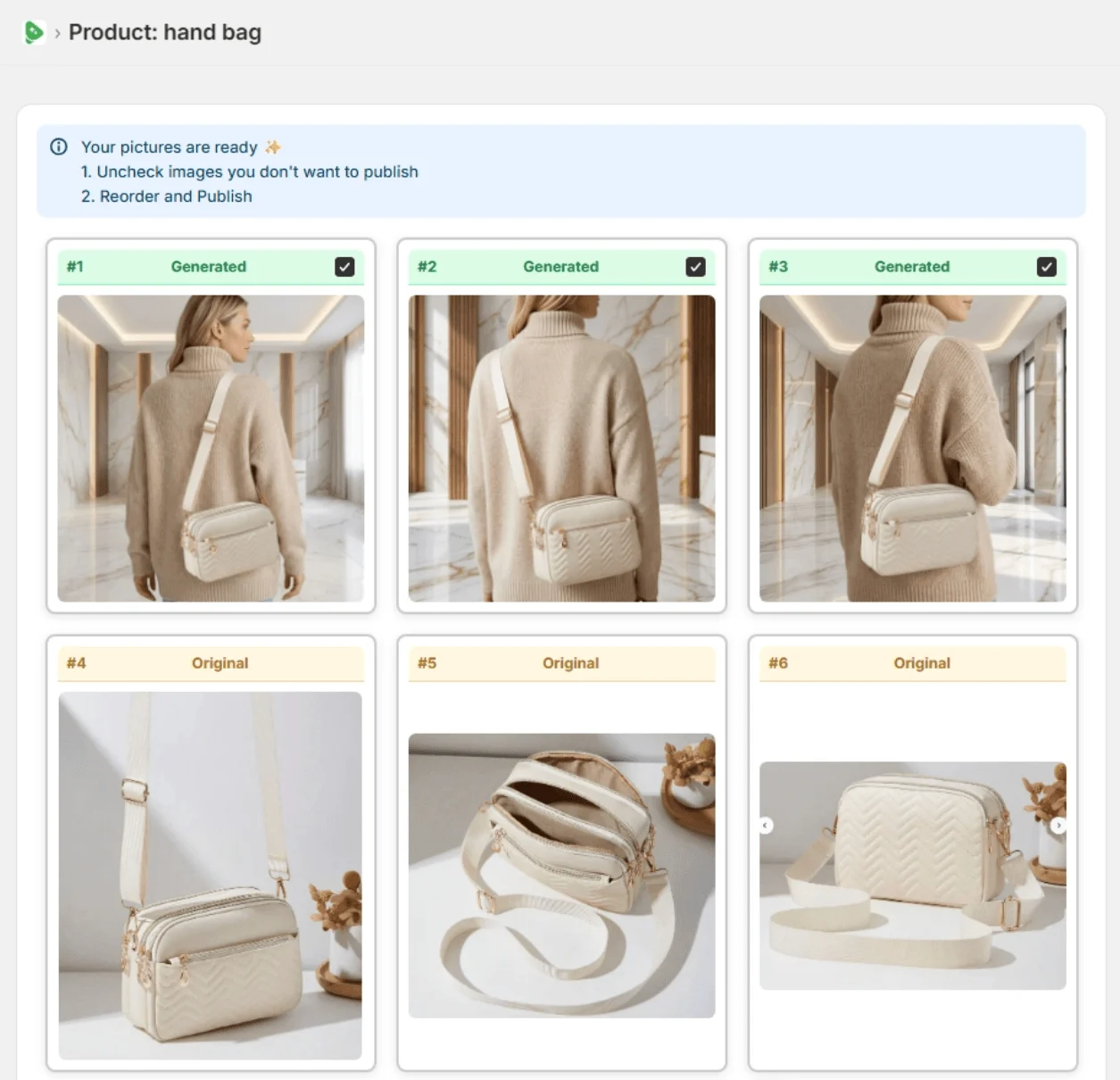
Real Fulfily results: each image was generated from the plain product photo on the left with one of Fulfily's presets, with no retouching.
Step 1
Open Bulk Generate and tick the products you want new images for. Fulfily reads their photos, titles and descriptions.
Step 2
Start from a preset or pick a background, photo model and pose, right inside your Shopify admin.
Step 3
Keep the images you like, uncheck the rest and publish them to the product in one click.
Plans and prices side by side, with how many AI images each plan makes. Estimates are marked as such.
| Pricing | Fulfily | Botika |
|---|---|---|
| Free plan | Yes, small free plan available | 8 free credits to try it: 8 photos, no credit card needed |
| Free trial | 7-day free trial on Starter | Yes, with the 8 free credits |
| Paid plans, per month | Starter $9.99/month: about 65 images at High (2K)Essential $33/month: about 215 images at High (2K)Plus $95/month: about 645 images at High (2K), up to 10× with the multiplier | Pro from $55/month: 50 images at 2K (100 for $105, 150 for $150)Advanced from $120/month: 100 images at 4K (up to 500 for $560)Enterprise: custom price |
| Yearly billing | 30% off with yearly billing | 17% off with yearly billing: Pro from $46, Advanced from $100 per month, with the year's credits up front |
| Feature | Fulfily | Botika |
|---|---|---|
| What it is | A Shopify app that generates new product images | An AI fashion model platform for clothing brands |
| Where you work | Inside your Shopify admin | Botika's web platform and iPhone app |
| Resolution | Medium (1K), High (2K) or Ultra (2K+) | 2K on Pro, 4K on Advanced |
Merchant reviews


5-star feedback
"It's been an absolute pleasure working with Rolands and this app. The customer service has been 10/10 and the apps content generation is simply fantastic. Hop on this app before prices go up... :)"
Kiicitykiicity.com"I've tried quite a few AI image tools, and this is honestly one of the best I've used so far. The quality is very impressive. I'm currently using the Ultra setting with 2K resolution, and the results are consistently sharp and detailed."
Botika had one, but when we checked on October 1, 2026, its Shopify App Store listing said the app is not currently available. Botika still runs on the web and as an iPhone app, so you use it next to your Shopify admin rather than inside it.
Botika's pricing page lists Pro from $55/month for 50 photos at 2K and Advanced from $120/month for 100 photos at 4K, with 17% off on yearly billing, plus a custom Enterprise plan. New accounts get 8 free credits to try it.
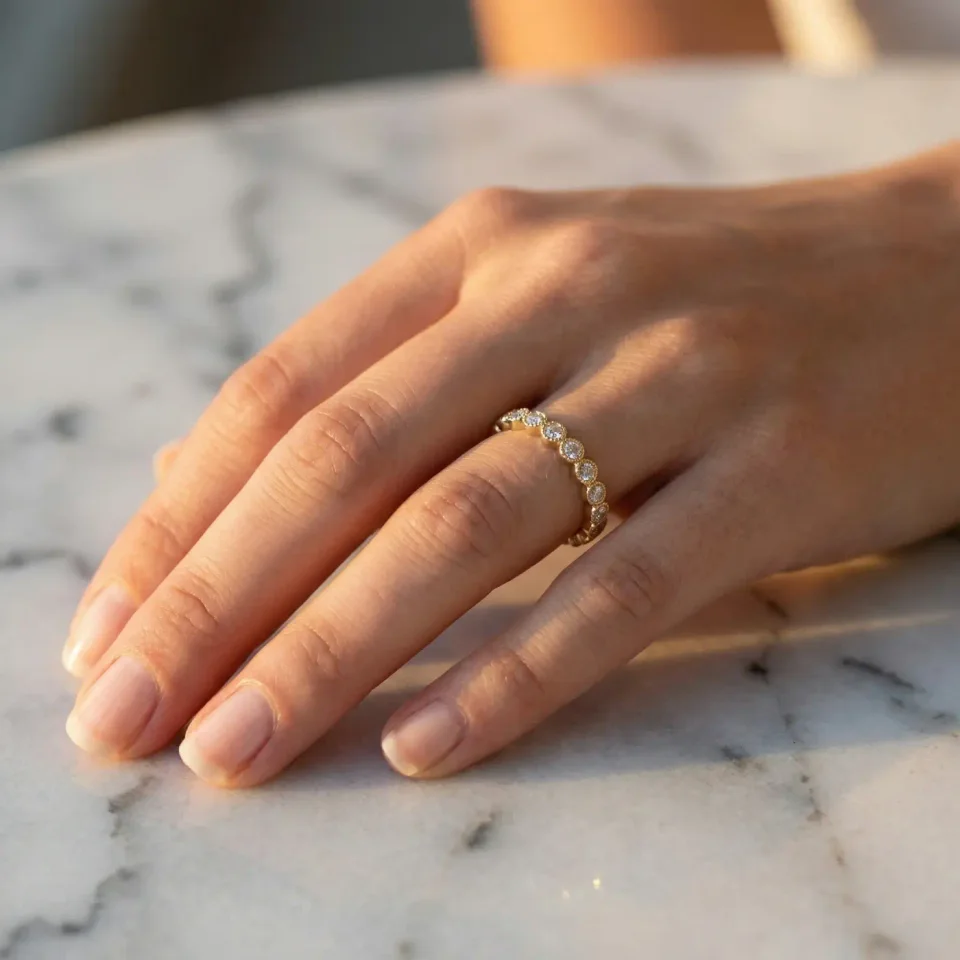
Not for now. Botika's FAQ says it only focuses on clothing. Fulfily has presets with photo models and poses for clothing, bags and jewelry, plus studio and lifestyle scenes for other products.
Start on the free plan. Pick products from your Shopify catalog and get new images in minutes.


Checked on the vendors' own pages in October 2026. Features and prices change, so check the linked pages before you decide.